Translate EPUBs
with AI.
Drop a book, get it back in your language. Libyx supports 40+ languages. Your text goes to the AI provider you choose — via your own API keys. No Libyx servers, no subscriptions.
Version 0.1.9 · macOS 12+ · Windows 10+ · Free
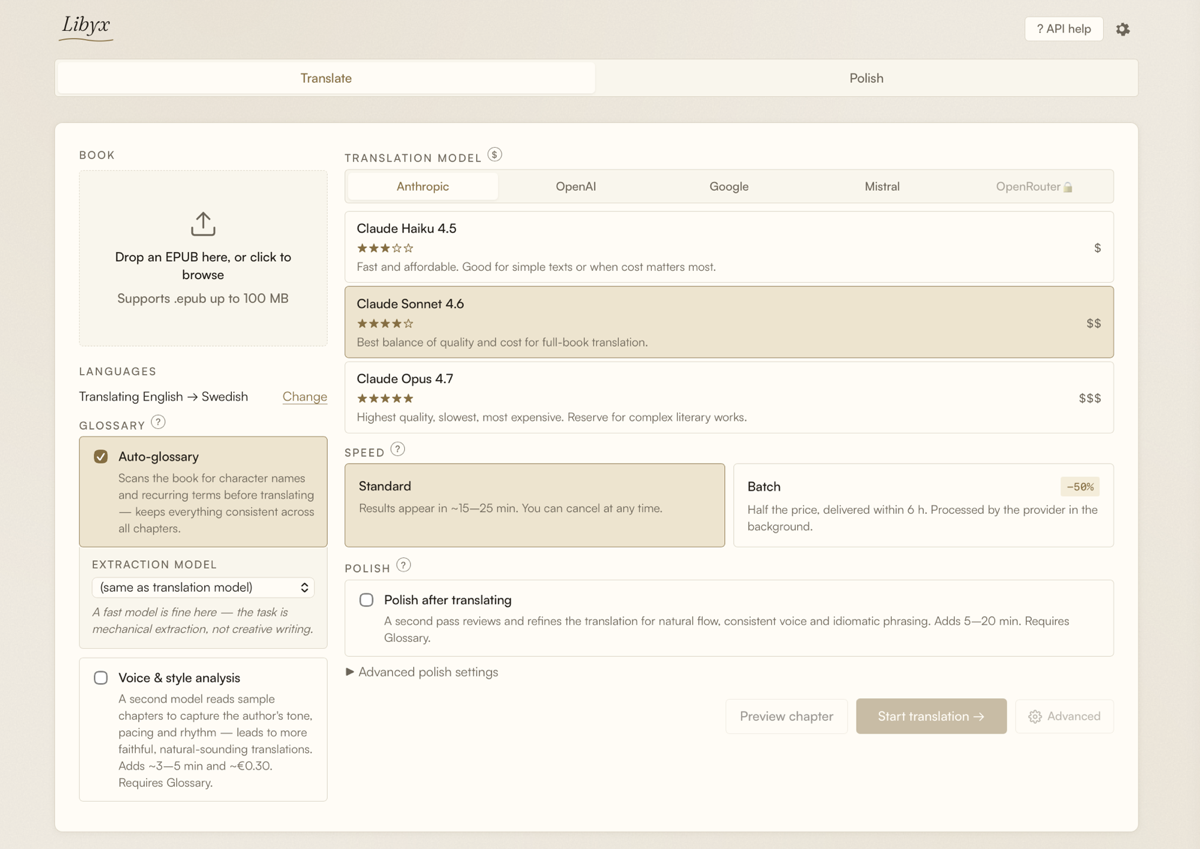
The complete app — drop an EPUB, choose a model, start translating.
Preview mode
Translate one chapter first to check tone, voice and quality before committing the full book.
Bilingual reading
The output EPUB includes both the original and translated text — original first, translation after — readable in any e-reader.
Batch mode
Half the API price. The provider processes your book in the background and delivers results within 6 hours.
Polish pass
A second model reviews and refines the translation for natural flow, consistent voice and idiomatic phrasing.
43 languages
Arabic, Bengali, Bulgarian, Catalan, Croatian, Czech, Danish, Dutch, English, Estonian, Filipino, Finnish, French, Galician, German, Greek, Hebrew, Hindi, Hungarian, Indonesian, Italian, Japanese, Korean, Latvian, Lithuanian, Malay, Mandarin, Marathi, Norwegian, Persian, Polish, Portuguese, Romanian, Russian, Slovak, Slovenian, Spanish, Swahili, Swedish, Thai, Turkish, Ukrainian, Vietnamese
How it works
Drop your EPUB
Drag and drop a file. Nothing leaves your computer except the text sent to your chosen AI model.
Choose a model
Claude, GPT, Gemini, Mistral, or any OpenRouter model. Pick by quality and cost. Batch mode delivers overnight at half price.
Get your translation
A complete EPUB you can read in your reader of choice. Optional polish pass for literary quality.
Bring your own API key
Libyx is not a subscription. You pay the AI provider directly. A typical book costs under €1 in batch mode, sometimes a few euros for the highest-quality models.
Windows users — read this first
Windows Defender SmartScreen will show a warning when you run the installer. This happens because Windows code-signing certificates are expensive and not yet in the budget. To proceed:
- Click More info in the SmartScreen dialog.
- Click Run anyway.
- The app will open normally.
We hope to add code-signing in a future release to eliminate this warning.
macOS — signed & notarized
The macOS version is signed with a Developer ID certificate and notarized by Apple. Gatekeeper opens it without prompts on macOS 12+.